Foundry OSE: Character Creation Wizard
A big update for FoundryVTT Old-School Essentials users, and a taste of what's planned for the Old-School Chronicle.
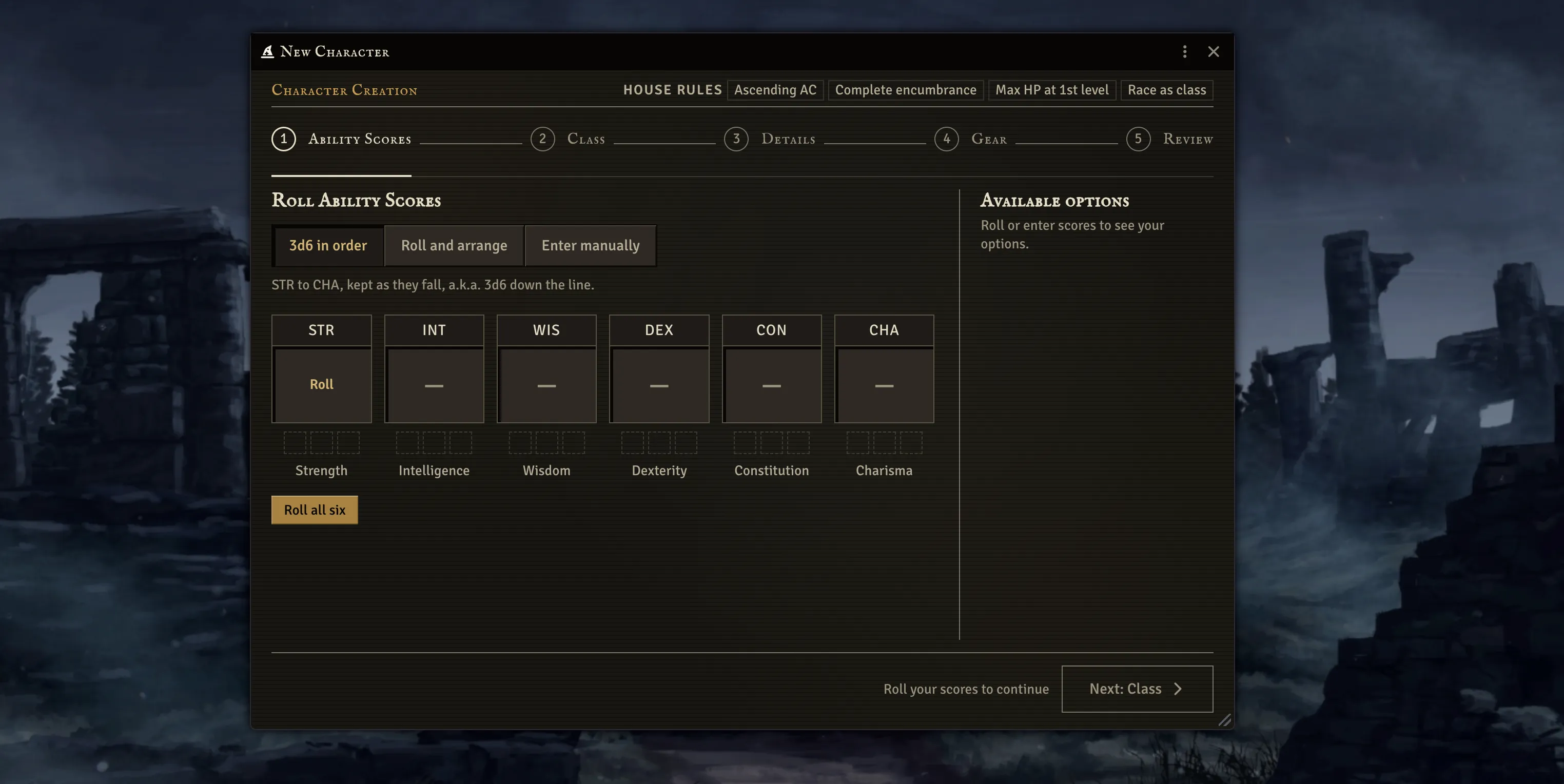
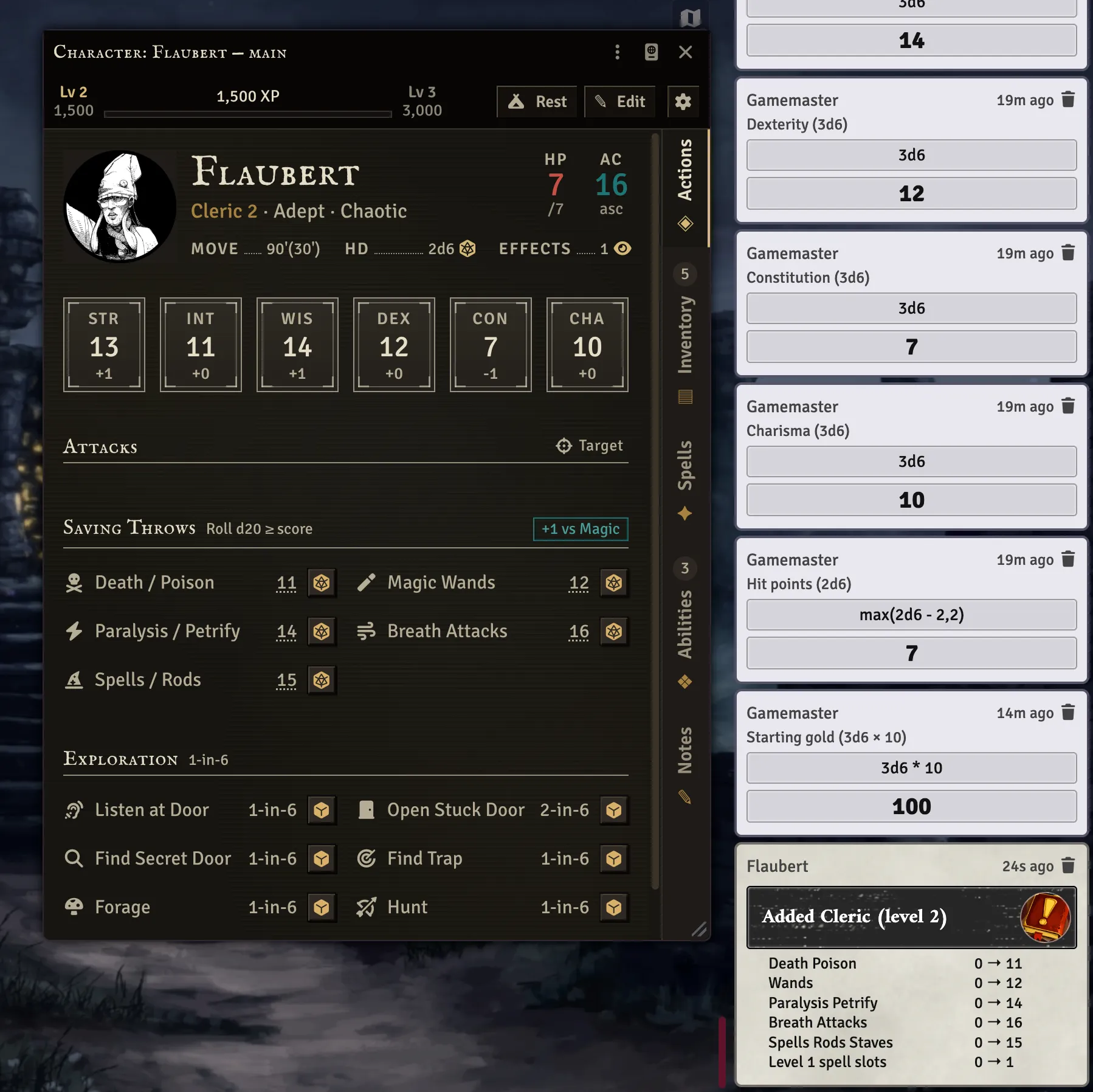
Enhanced Character Sheet v2.0
I’m pleased to announce version 2.0 of the Enhanced Character Sheet for Old-School Essentials on FoundryVTT! The module is now made up of three applications:
- The Enhanced Character Sheet itself — redesigned to ditch the modern web idioms (border radius, flat buttons) in favor of tighter typography and vintage computer RPG vibes.
- The Monster Sheet — the first experiment in the new “print” design idiom. Stat-block-like UI, and clear attack buttons.
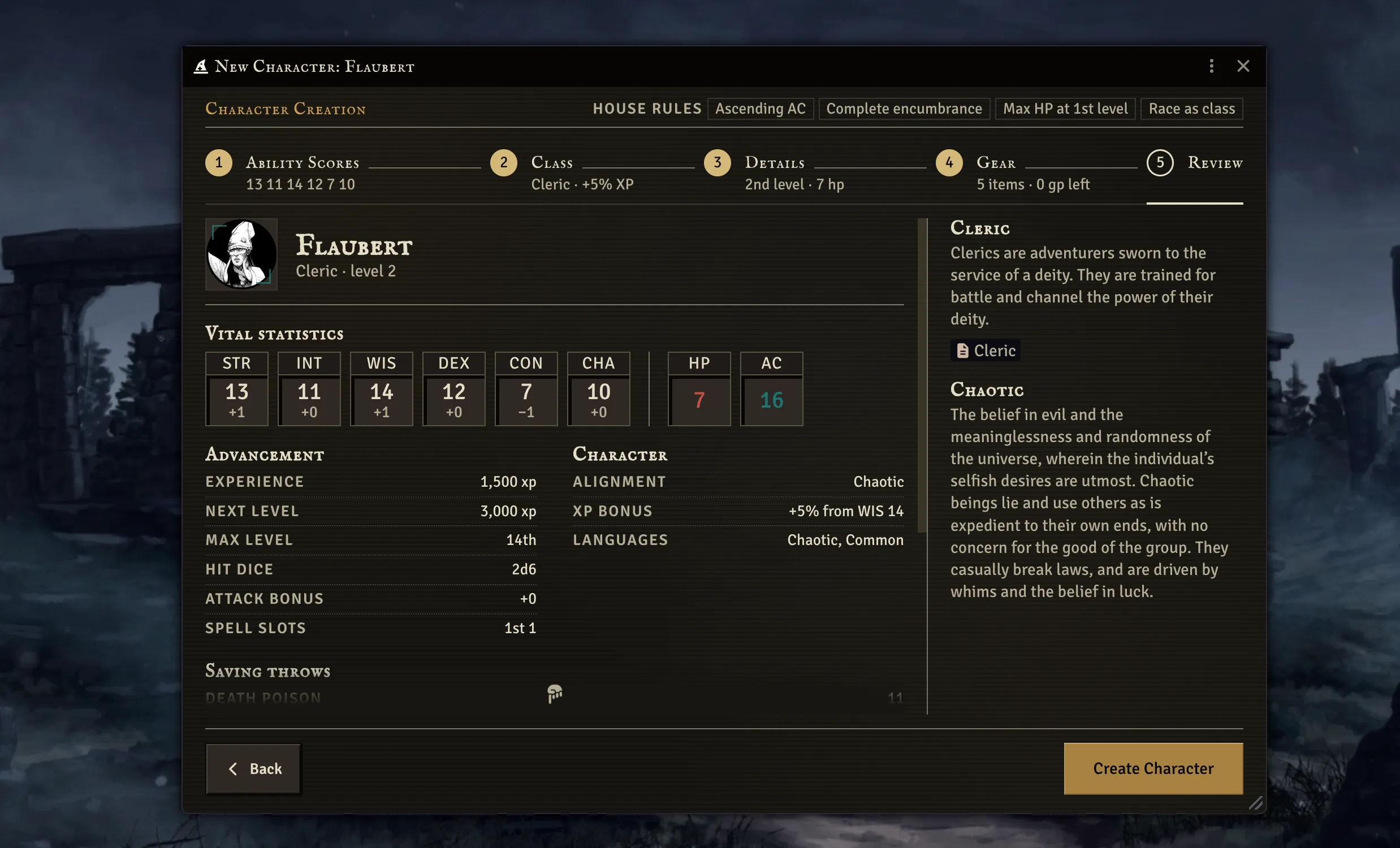
- [NEW] Character Creation Wizard — fast and insightful character creation. Go ahead, charge that blue dragon, open that suspicious chest.
Characters on the fly
Facilitating character creation has been on my mind from the beginning. The lethality of the OSR is something I’m enamored with and would love to lean into more as a GM. However, I just couldn’t bear the thought of making my players go through the clunky, awkward, error-prone process of creating new characters in Foundry. Having to fight software after having your PC ganked sounds like torture, insult-to-injury, salt in the wound, etc. So, “make it easy” was the first mission.
But I didn’t want to automate too much, or at least not force the user to use automation. So every step is “manual”. You can roll ability scores one at a time for the whole table to see, or all at once.
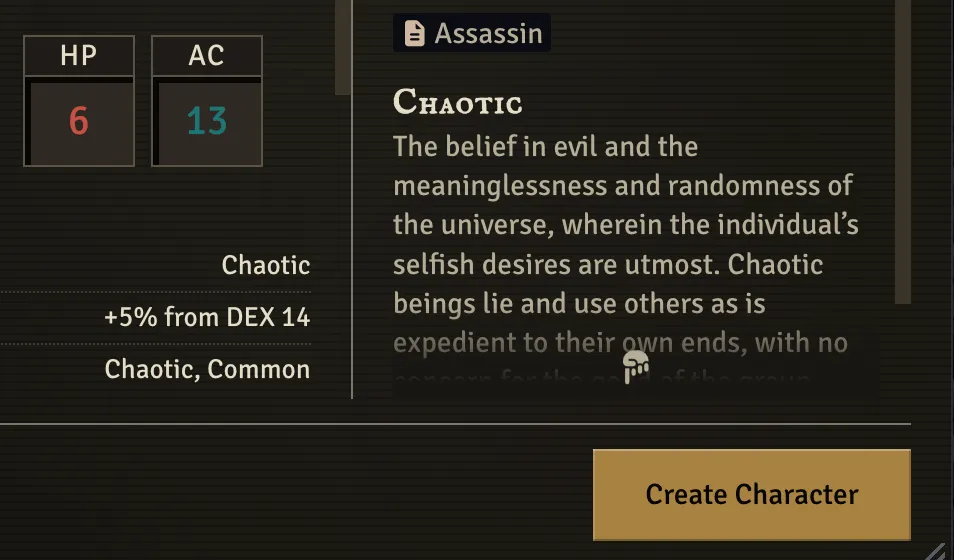
House rules

Every table is different, so many of the usual variants have first-class support and visibility in the top bar throughout the process. A few new settings are available:
- Character creation wizard (on/off)
- Race/Class mode: Separate race or race-as-class
- Max HP at 1st level (on/off)
- Roll-and-place ability scores (on/off)
- 3d6-down-the-line ability scores (on/off)
- Manual entry ability scores (on/off)
Discoverability
Depending on your table, you might only get one 3d6-down-the-line shot at your ability scores. So at the very least, it’d be nice to immediately see what doors are open to your character, what doors are closed, and what doors are particularly inviting. By “doors” I mean character classes and races.
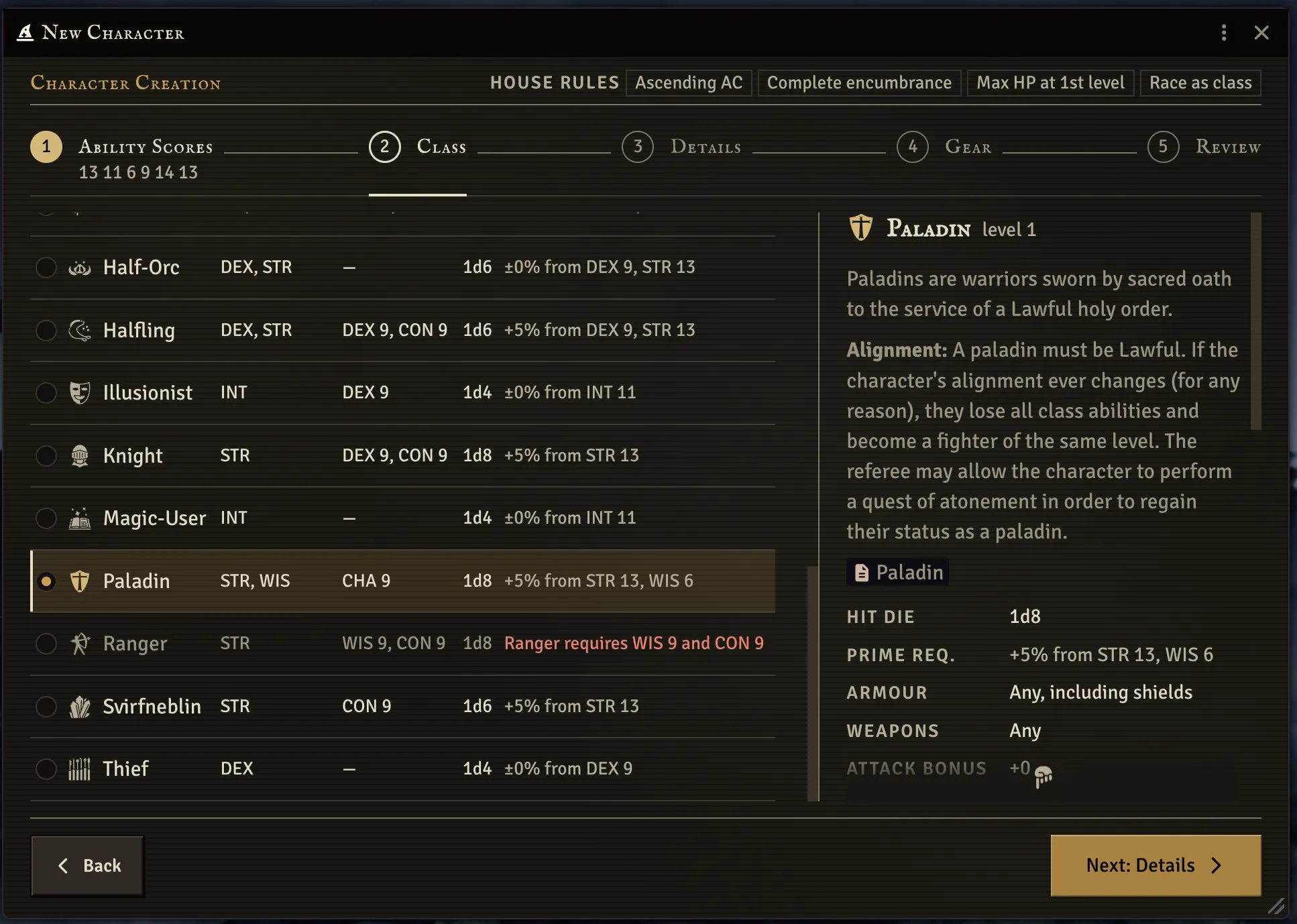
I also didn’t want users to have to keep multiple tabs or windows open to get the full picture of each class available to them, and how well their scores fit with a given class. So it’s all here, at a glance. Honestly, I love it. I feel like I learn something new about the system every time I click through it.
A complete character
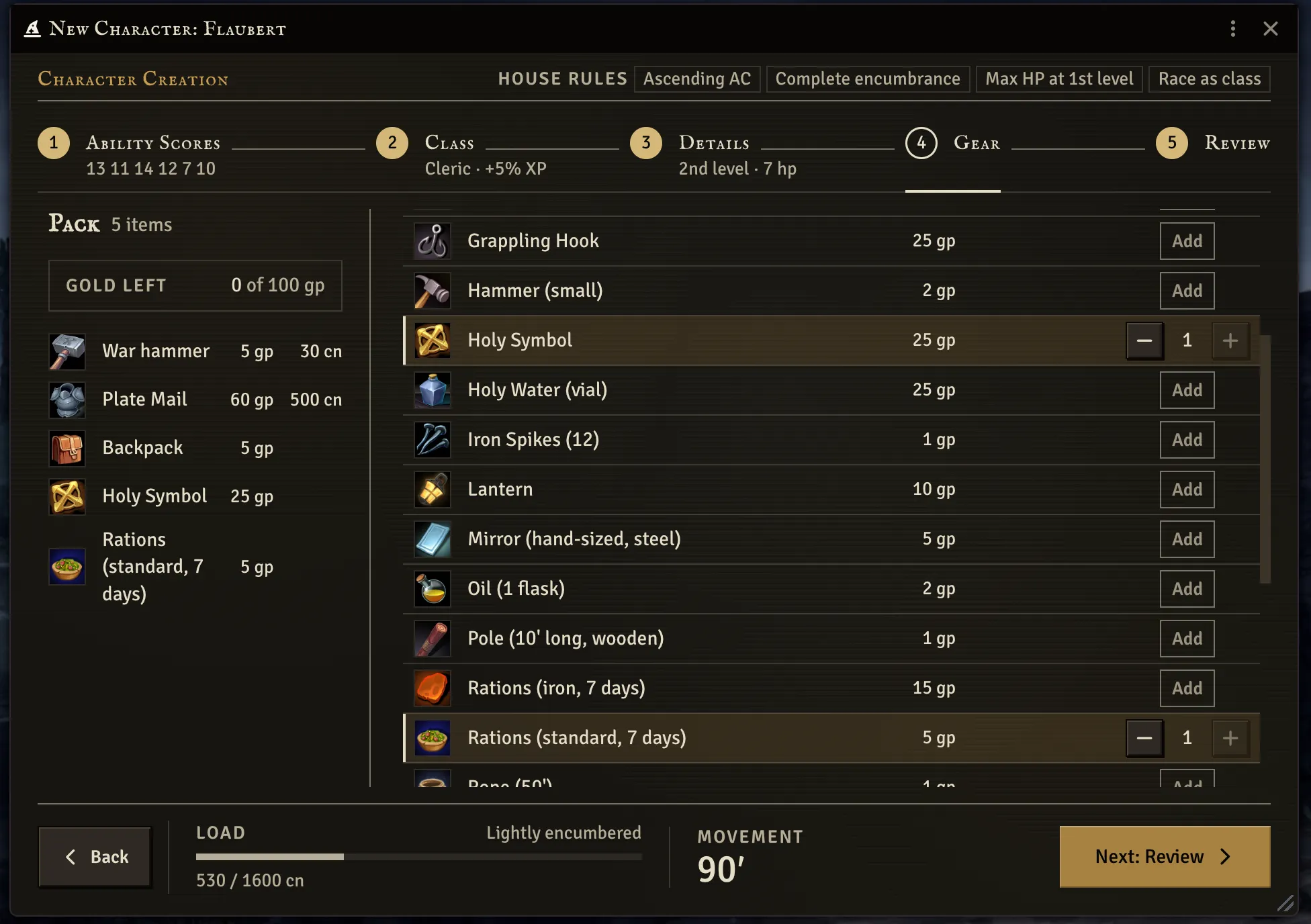
Easily roll gold and choose from a complete list of starting gear, with standard GP prices straight from the system. A full set of coins (PP GP EP SP CP) is added to the character on creation, regardless of gold quantity. Some future plans for this step:
- Allow the GM to disable the shop for tables that want to role-play the purchasing of starting gear
- Provide pre-defined “kits” for purchase — backpack, torches, rope, rations, etc.
Some final screenshots
Get notified when tools launch
The raven is away, check thine inbox.
We shall write only when there is something worth the raven's journey.